Let's start with a real problem
Every organization I’ve worked with in my 22+ years of consulting has the same issue hiding in plain sight: people manually copying data from documents.
Invoices, contracts, purchase orders, forms, someone on your team is reading them, typing the information somewhere else, and hoping they don’t make a typo. It’s slow, expensive, and completely avoidable in 2025.
Azure Document Intelligence is the tool that fixes this. And the great news? You don’t need to be an AI expert to use it.
Azure Document Intelligence lets you extract text, tables, key-value pairs, and structured data from virtually any document automatically.
So what exactly is Azure Document Intelligence?
It’s a cloud service inside Microsoft’s Azure AI platform. Think of it as a very smart document reader: you send it a PDF, a receipt image, or a scanned form, and it sends back structured data you can actually use. Behind the scenes, it uses machine learning models trained on millions of documents. But from your perspective? You’re just calling an API and getting clean data back. Here’s what it can extract from a document:
- Text and printed content (even from handwritten notes in some cases)
- Tables and their structure: rows, columns, merged cells
- Key-value pairs like “Invoice Date: 15 Jan 2025”
- Named entities: company names, addresses, amounts
- Document layout headers, sections, page numbers
How does it work?
There are three ways to use Document Intelligence, depending on your team’s technical level:
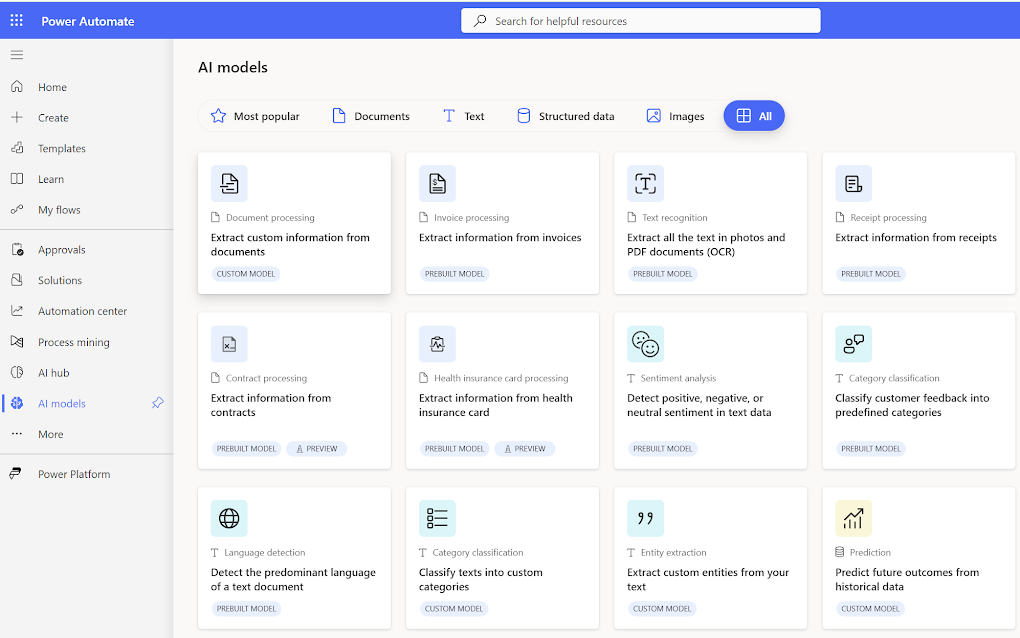
1. The AI Hub under the power platform (no code required)
Microsoft has an “AI hub” AI Models under PowerAutomate where you can create an AI model and upload documents, test models, and see exactly what data gets extracted, all without writing a single line of code. Perfect for exploring what’s possible.
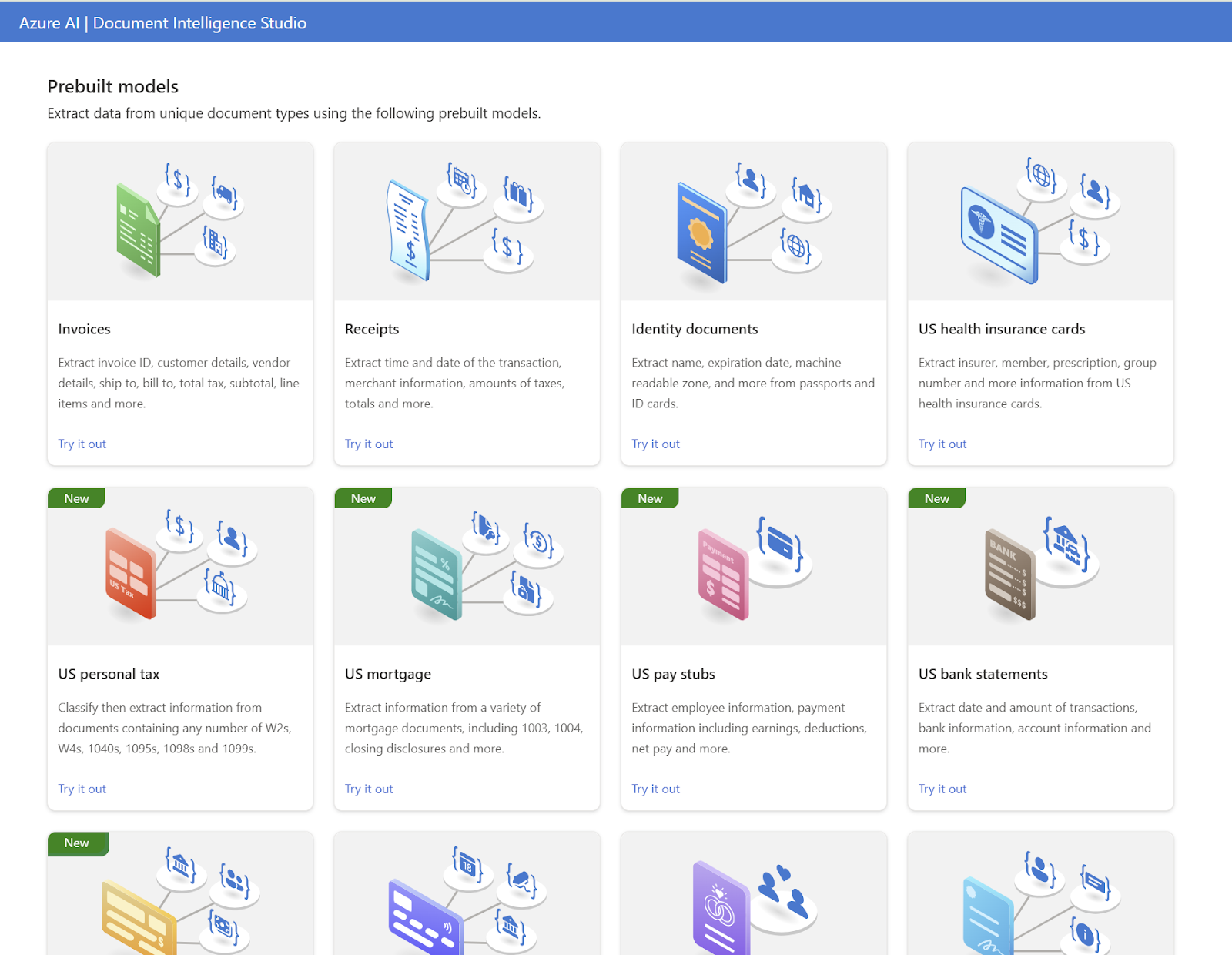
2. Prebuilt Models (quick start)
For common document types invoices, receipts, ID documents, and business cards. Microsoft has already trained models ready to go. You just point the service at your document, and it knows what to look for.
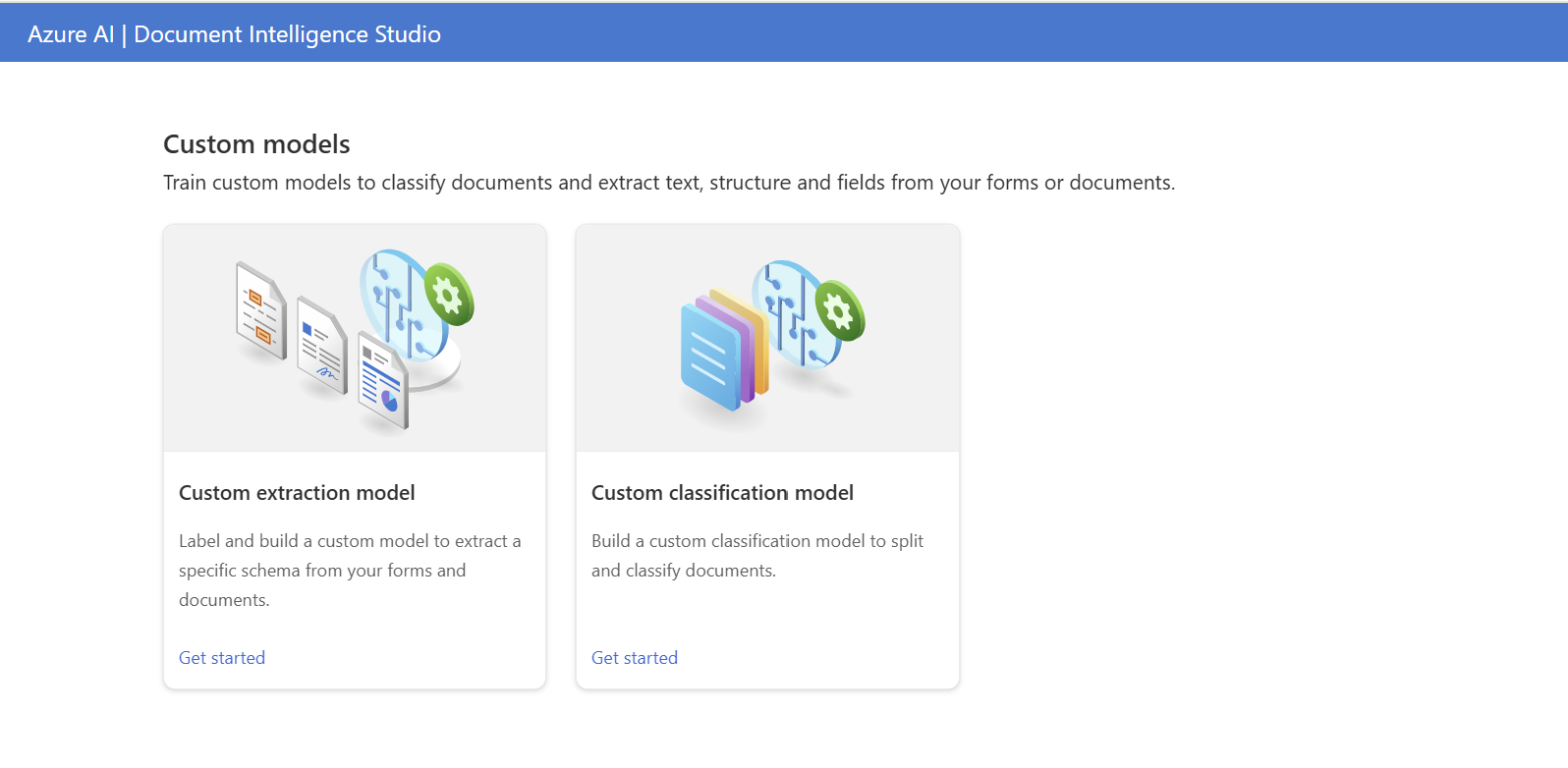
3. Custom Models (for unique documents)
Got a proprietary form or an industry-specific document layout? You can train your own model with as few as 5 sample documents. The service learns the structure and applies it to every document you send afterwards.
Where does Power Platform come in?
This is where it gets exciting for business users. Azure Document Intelligence connects directly to Power Automate via the AI Builder connector or via the HTTP Action. That means you can build a workflow like this with no code:
- A new invoice lands in a SharePoint folder
- Power Automate triggers automatically
- AI Builder (backed by Document Intelligence) reads the invoice
- The extracted data flows into your ERP, database, or Teams notification The entire process takes seconds. And it runs 24/7 without anyone lifting a finger.
At my GPPB 2026 session, we demonstrated a full invoice-automation workflow built in Power Automate, with zero custom code on the AI side.
What should you try first?
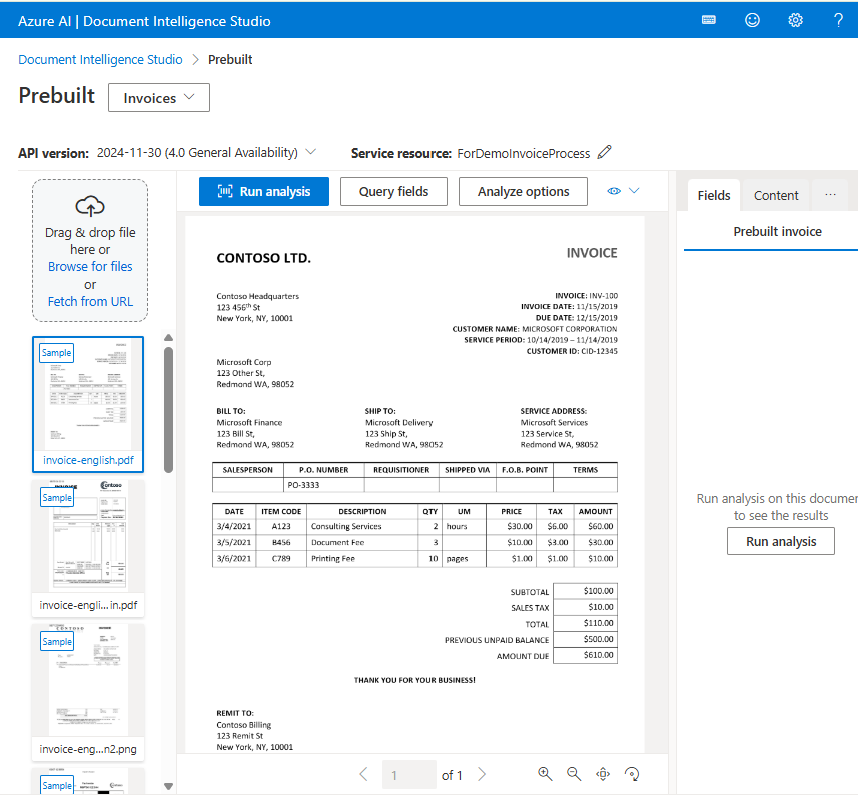
If you’re just getting started, here’s a practical path:
- Head to contentunderstanding.ai.azure.com and sign in with your Azure account
- Upload a sample invoice or form and run it through the prebuilt invoice model
- Look at the data it extracts vendor name, invoice number, line items, total
- Now imagine that data flowing automatically into your system of choice That’s the moment the lightbulb goes on for most people. It’s not a complicated concept once you see it working.
The bottom line
We’re at a point where document processing doesn’t need to be a human task. Azure Document Intelligence, combined with Power Platform, puts powerful AI in the hands of business users, not just data scientists.
Whether you’re processing 10 invoices a month or 10,000, the time savings compound quickly. And more importantly, your team gets to focus on work that actually requires human judgment.